How to Activate Your License
Follow these simple steps to redeem your Detox license code and unlock lifetime premium access.
Quick Summary
- 1Open App Store → Tap your Profile (top right)
- 2Tap "Redeem Gift Card or Code" → "Enter Code Manually"
- 3Enter your code → Tap "Redeem" → Tap "Redeem Offer"
- 4Open Detox → Complete onboarding → Tap "Restore" on paywall
Detailed Instructions
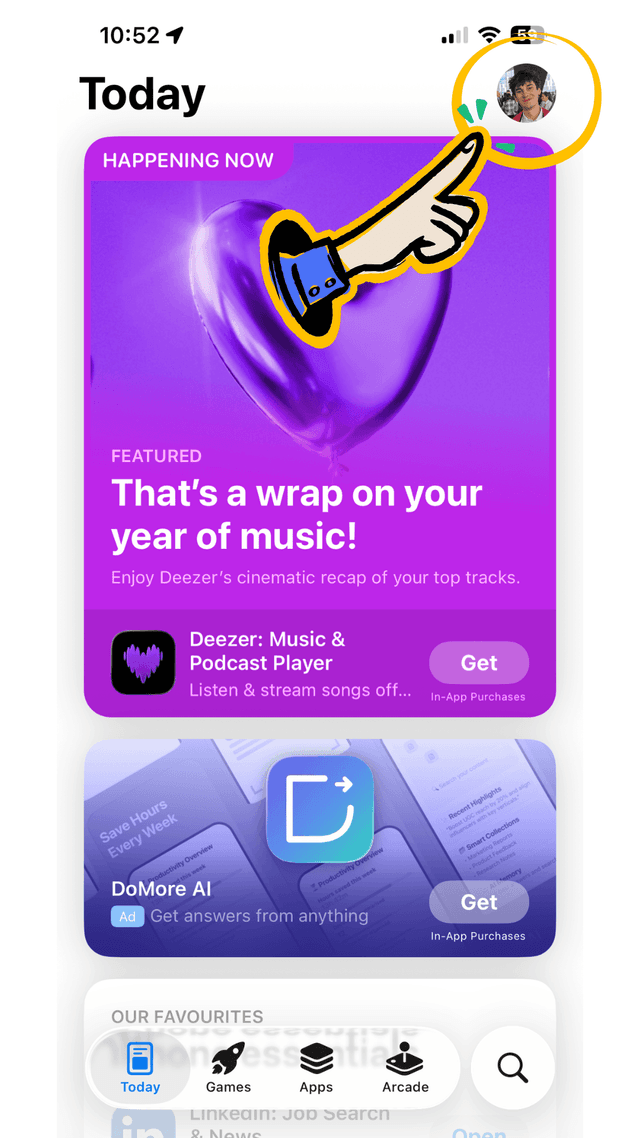
Open the App Store & Tap Your Profile
Open the App Store on your iPhone. In the top-right corner, tap on your profile picture or initials.
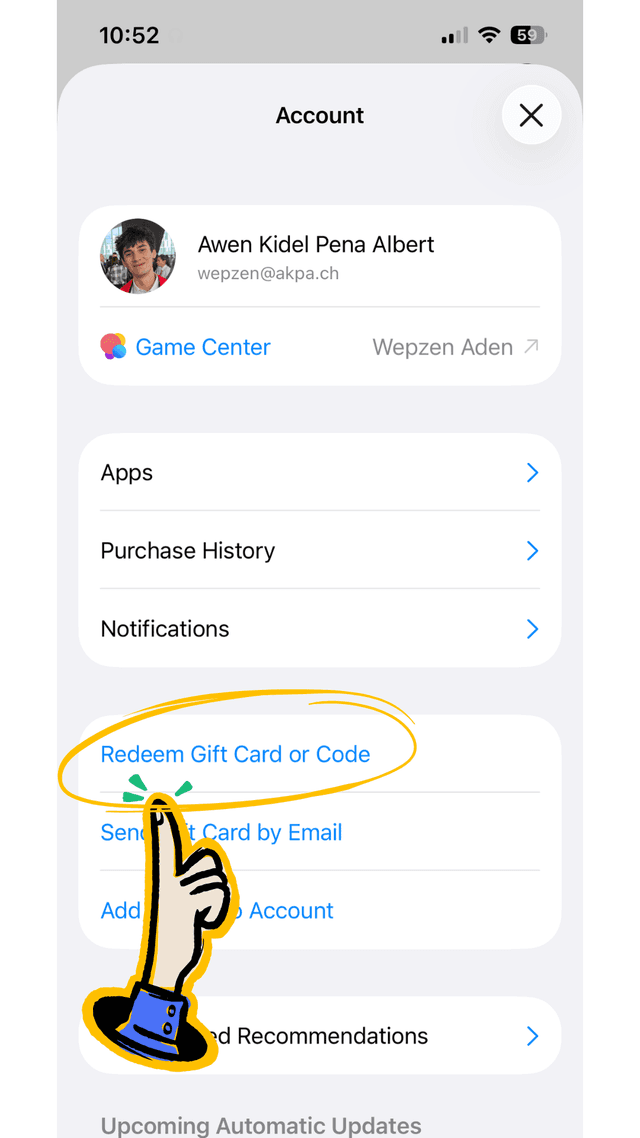
Tap "Redeem Gift Card or Code"
In your Account page, scroll down and tap on "Redeem Gift Card or Code". You may need to sign in with your Apple ID if prompted.
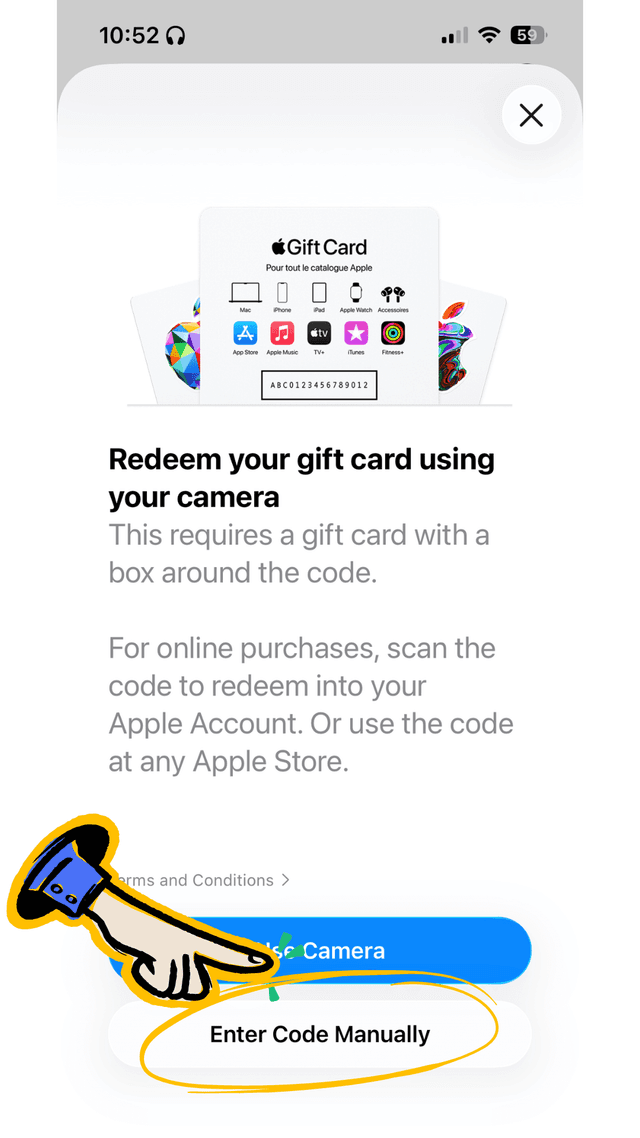
Tap "Enter Code Manually"
On the redeem screen, tap "Enter Code Manually" at the bottom. This allows you to type in your license code from the email.
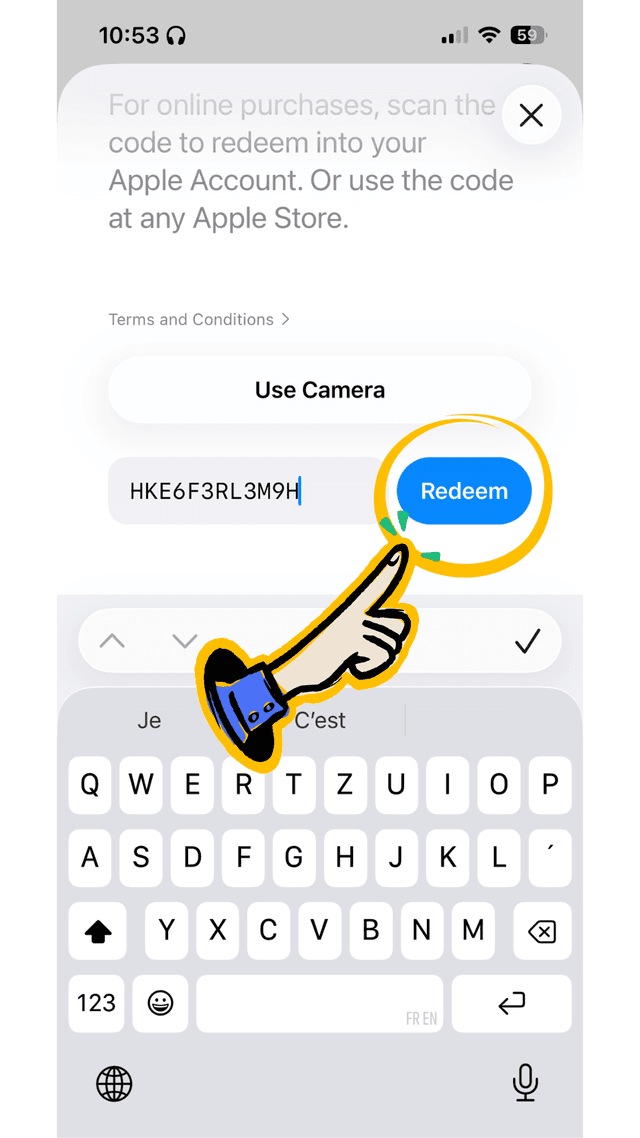
Enter Your Code & Tap Redeem
Type your license code exactly as it appears in your email, then tap the blue "Redeem" button. Wait a moment for validation.
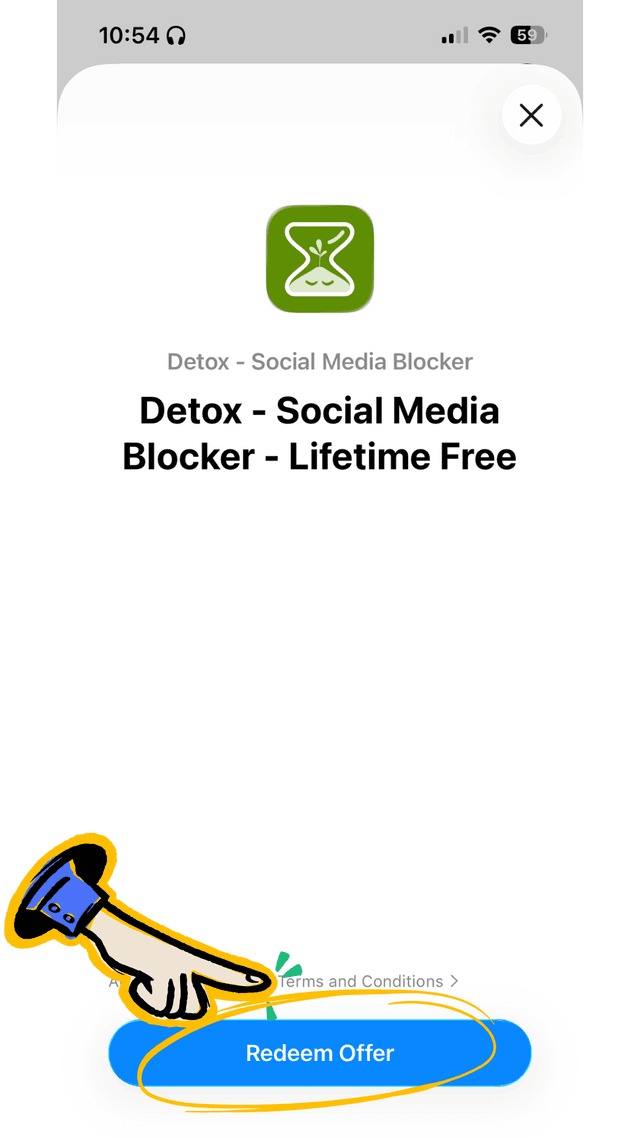
Tap "Redeem Offer"
Once validated, you'll see the Detox app. Tap "Redeem Offer" to claim your lifetime license and download the app.
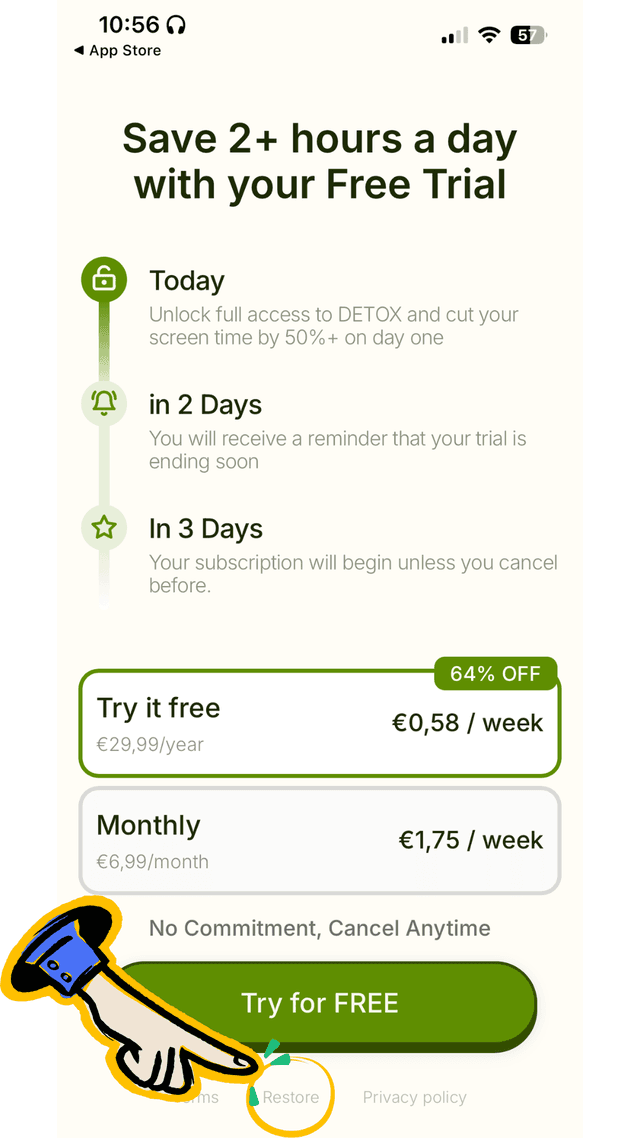
Open Detox & Tap "Restore"
Open Detox and complete the onboarding. On the final paywall screen, tap the "Restore" button at the bottom. This activates your lifetime premium. No subscription needed!
You're All Set!
Enjoy lifetime access to all Detox Premium features. Reclaim your time and focus on what truly matters.
For more details on redeeming App Store promo codes, see Apple's official guide